Exiting Firebase

Migrating Your App to Real Django Hosting (Without Losing Your Users) — and Vibe Coding It on Opalstack
Firebase is great at one thing:
Getting you live fast.
But eventually, a lot of teams hit the same wall:
- Pricing starts feeling unpredictable.
- Auth becomes a black box.
- Firestore stops fitting your data model.
- Cloud Functions feel like duct tape around a backend that wants to exist.
If you’ve built a real Django app — or you want one — it’s time to step off the platform treadmill.
Here’s how to exit Firebase cleanly and land on traditional hosting (like Opalstack) without chaos.
And then: how to vibe code the whole migration + ongoing dev workflow using Django on Opalstack with an MCP server + Vibe Shell tooling + VS Code and bring-your-own model (Copilot, local models, whatever).
What Firebase Actually Is (And Isn’t)
Firebase is primarily:
- CDN-backed static hosting
- A managed auth system
- A document database (Firestore)
- Cloud Functions glued to events
- Google Cloud Storage under the hood
It is not:
- A traditional long-running backend server
- A relational database
- A place where you control runtime shape
When your app grows up, you usually want:
- Django running persistently
- PostgreSQL or MariaDB
- Direct control over schema
- Predictable monthly hosting
- Auth that isn’t welded to a proprietary hash format
That’s where traditional hosting comes in.
The Target Architecture
Here’s what you’re moving toward:
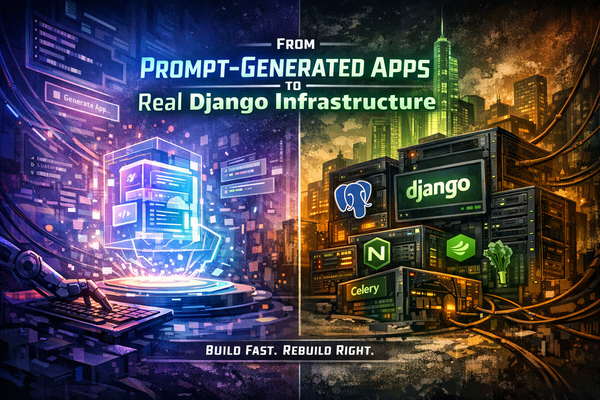
Traditional Stack (Opalstack-style):
- Nginx handles SSL + static
- Django runs via uWSGI
- PostgreSQL (or MariaDB) stores relational data
- Cron or Celery handles background work
- You control environment variables
- You control schema
- You control auth
No rewrites into Cloud Functions.
No per-request billing surprises.
No document-store contortions.
Just software running like software.
The Three Hard Parts of Leaving Firebase
Everything else is straightforward.
These are the real friction points:
- Auth
- Firestore → SQL
- Storage Rules
Let’s break them down.
1. Leaving Firebase Auth (Without Losing Users)
This is where most teams panic.
Here’s the truth:
You can export users.
You cannot export passwords in plaintext.
Firebase stores passwords using a modified scrypt hash.
You get:
- uid
- hash
- salt
- provider info
You have three options.
Option A — Force Password Reset (Cleanest)
Import users into Django.
Set unusable passwords.
Require reset on first login.
This is operationally clean.
No crypto reimplementation.
No security guessing.
For most teams, this is the correct move.
Option B — Support Firebase Hash as Legacy Hasher
Django supports multiple hashers.
You can:
- Implement a Firebase scrypt verifier
- Accept old passwords once
- Rehash into Django’s native PBKDF2/Argon2
This preserves seamless login.
But:
You are now implementing security-critical code.
Do not wing this.
Option C — Move to an Independent Identity Provider
You can migrate to a neutral auth provider that supports Firebase imports.
That lets you:
- Leave Firebase
- Keep user credentials
- Avoid building crypto yourself
This is useful if you don’t want to own auth long-term.
Why Leaving Firebase Auth Matters
Firebase Auth ties:
- Storage rules
- Firestore rules
- Cloud Functions triggers
… to its token ecosystem.
Once you move to Django sessions or your own JWT system, you decouple everything.
That’s freedom.
2. Firestore → PostgreSQL
This is the structural shift.
Firestore is hierarchical:
users/{userId}/posts/{postId}
PostgreSQL is relational:
users
posts (foreign key user_id)
You cannot “export JSON and import into SQL.”
You must:
- Design real tables
- Define foreign keys
- Define indexes based on actual queries
- Write an ETL script
This is where your app becomes stable.
Document stores are easy early.
Relational models are powerful long-term.
If you built serious Django models anyway, this part is just normalization work.
3. Cloud Storage Rules → Real Authorization
Firebase Storage is Google Cloud Storage under the hood.
Rules look like:
allow read: if request.auth.uid == userId
In Django, that becomes:
if request.user.id == object.owner_id:
    allow()
Authorization moves into your application layer.
That’s not worse.
It’s clearer.
You now control permissions through Django’s auth and model relationships instead of policy DSLs.
Replacing Cloud Functions
Cloud Functions feel magical because they auto-scale.
But they’re just:
- HTTP handlers
- Event triggers
- Cron jobs
In Django:
- HTTP functions → views
- Scheduled jobs → cron + management commands
- Background processing → Celery (if needed)
You regain:
- Logging clarity
- Debuggability
- Full stack trace visibility
- Local reproducibility
You lose:
- “Infinite scaling” marketing copy
In exchange, you gain:
Predictability.
Hosting on Opalstack (Django Setup Reality)
On Opalstack, Django runs as a proper application:
- Isolated Unix user
- Virtual environment
- uWSGI process
- Nginx front-end
- Separate static app for
/static
Environment variables go into uwsgi.ini.
Database is provisioned from the dashboard.
You run:
python manage.py migrate
python manage.py collectstatic
Restart.
Done.
No deploy targets.
No hosting channels.
No CLI deploy tokens.
It’s software running on a server.
Cost: The Quiet Motivation
Firebase Hosting bills:
- Stored assets
- Data transfer
- Reads
- Writes
- Function invocations
It scales elastically.
Which also means:
Costs scale elastically.
Traditional hosting flips the model:
Flat monthly pricing.
You manage load responsibly.
No per-request metering.
If your app is stable and predictable, that’s often a win.
Migration Timeline (Realistic)
| Phase | Time |
|---|---|
| Inventory + design | 1–3 days |
| Set up Django hosting | 1 day |
| Auth strategy implementation | 2–7 days |
| Data mapping + ETL | 2–10 days |
| Staging validation | 2–5 days |
| DNS cutover | Hours |
The only variable that explodes timelines:
Firestore data complexity.
Everything else is controlled.
When Should You Leave Firebase?
You’re ready when:
- You’re building real Django models anyway
- Firestore queries feel unnatural
- Cloud Functions feel like glue code
- You want predictable hosting cost
- You want to own auth
You’re not ready if:
- You need instant infinite autoscale
- You don’t want to manage schema
- You don’t want to think about runtime
There’s no moral argument here.
It’s architecture maturity.
The Bigger Pattern
Firebase is optimized for:
Fast starts.
Django on traditional hosting is optimized for:
Long-term clarity.
If you’re building something real — SaaS, internal tools, AI-powered services, data-heavy apps — the second model wins over time.
You get:
- Real database guarantees
- Real background processing
- Real control over identity
- Real debugging
- Real ownership
That’s the trade.
Bonus: Vibe Coding Django on Opalstack (Without Lock-In)
Now for the part Firebase doesn’t give you:
A workflow where you can vibe code the app without living inside one vendor’s world.
Here’s the Opalstack angle:
You host the Django runtime.
You bring the AI.
We don’t sell “our LLM.”
We sell a stack that plays nice with whatever model you want.
Copilot.
Claude.
OpenAI.
Local models.
Anything that can drive your editor + tools.
And we make the hosting side MCP-native, so your “AI dev loop” can actually do work instead of hallucinating instructions.
Django + MCP: what it means in practice
MCP (Model Context Protocol) is basically:
a standard way to expose tools to your AI dev environment.
So instead of “copy/paste commands,” your assistant can:
- read project files
- write code
- run migrations
- inspect logs
- check environment variables
- hit your APIs
- update configs
- verify deploy steps
…in a controlled way.
That’s the difference between:
“AI that talks”
and
“AI that ships.”
The MCPVibe Shell Plugin (the idea)
Think of MCPVibe Shell as the bridge between:
- Your editor (VS Code)
- Your model (Copilot / BYO)
- Your real server environment (Opalstack)
So the workflow becomes:
- Vibe code Django changes in VS Code
- Plugin exposes “safe tools” via MCP
- Model can run real actions (lint/test/migrate/deploy)
- You ship without turning every deploy into a manual ritual
The selling point is simple:
“Traditional hosting, but with modern AI tooling.”
Not a platform prison.
A real server stack, enhanced.
Why this matters specifically for Firebase exits
When you leave Firebase, you’re doing things Firebase “hid” from you:
- schema design
- auth flows
- background jobs
- deploy/rollback
- observability
That’s where AI tooling actually helps — if it can touch real systems.
So instead of “read docs for 4 hours,” you get:
- “generate migration mapping plan, then implement it”
- “build ETL script, run dry-run, report diffs”
- “set up password reset pipeline”
- “wire up Django permissions replacing storage rules”
- “create cron jobs and log rotation”
- “verify staging vs production settings”
This is vibe coding aimed at moving responsibility back to you — without turning that responsibility into pain.
“Bring Your Own Model” (why it’s the right framing)
A lot of platforms want to bundle you into:
- their runtime
- their auth
- their database
- their AI model
- their pricing
That’s maximum coupling.
We’re pushing the opposite:
- Django you control
- SQL you control
- auth you control
- AI you choose
If Copilot is your move, cool.
If you want local models for cost control, cool.
If you want to mix models by task (cheap model for refactors, strong model for architecture), cool.
You’re not stuck.
The punchline
Firebase is “fast to start.”
Opalstack-style Django hosting is “built to last.”
And with MCP + Vibe Shell + VS Code + BYO AI, you can keep the modern vibe-coding speed without living inside someone else’s walled garden.
That’s the play.
Same mission:
Move from platform dependency
to infrastructure ownership.
— Opalstack